The Problem
I had two websites — jacky.fan (my portfolio) and blog.jacky.fan (my blog). Both worked, but there was room for improvement: daisyUI defaults, inconsistent styling between the two, no dark mode, and a 2,500-line CSS file that was hard to maintain. They looked like they belonged to two different people.
Worse, I'm a developer, not a designer. I don't have the eye for colors, spacing, or typography.
Every time I tried to "fix the design" myself, it got messier.
So I tried something different: I handed the entire revamp to an AI agent — Hermes Agent.
I wanted to test the limits of Hermes Agent — to see how far an AI agent could go in a real, multi-site web design and development project.
Phase 1: Design Prototypes (the "Creative Director")
I have a Raspberry Pi 5 (rpi5-1) running another instance of Hermes Agent. I decided to use it as my design consultant — a separate agent focused only on visual exploration, not production code.
I first tried asking the agent to design in Figma, but it couldn't connect — so it built a prototype in raw HTML/CSS instead. In hindsight, this was better: I could open the prototype in my browser instantly, no Figma account needed, no export step. Just a web page I could scroll through and react to.
How I briefed it
I opened a session with rpi5-1's Hermes Agent and said:
- What aesthetic direction? → "MUJI feeling"
- What's important to keep? → Nuxt 3, Payload CMS
- Color palette? → Indigo and warm off-white
Then it built a standalone prototype in ~/Project/new-blog-prototype/, served it via Docker, and I opened it in my browser.
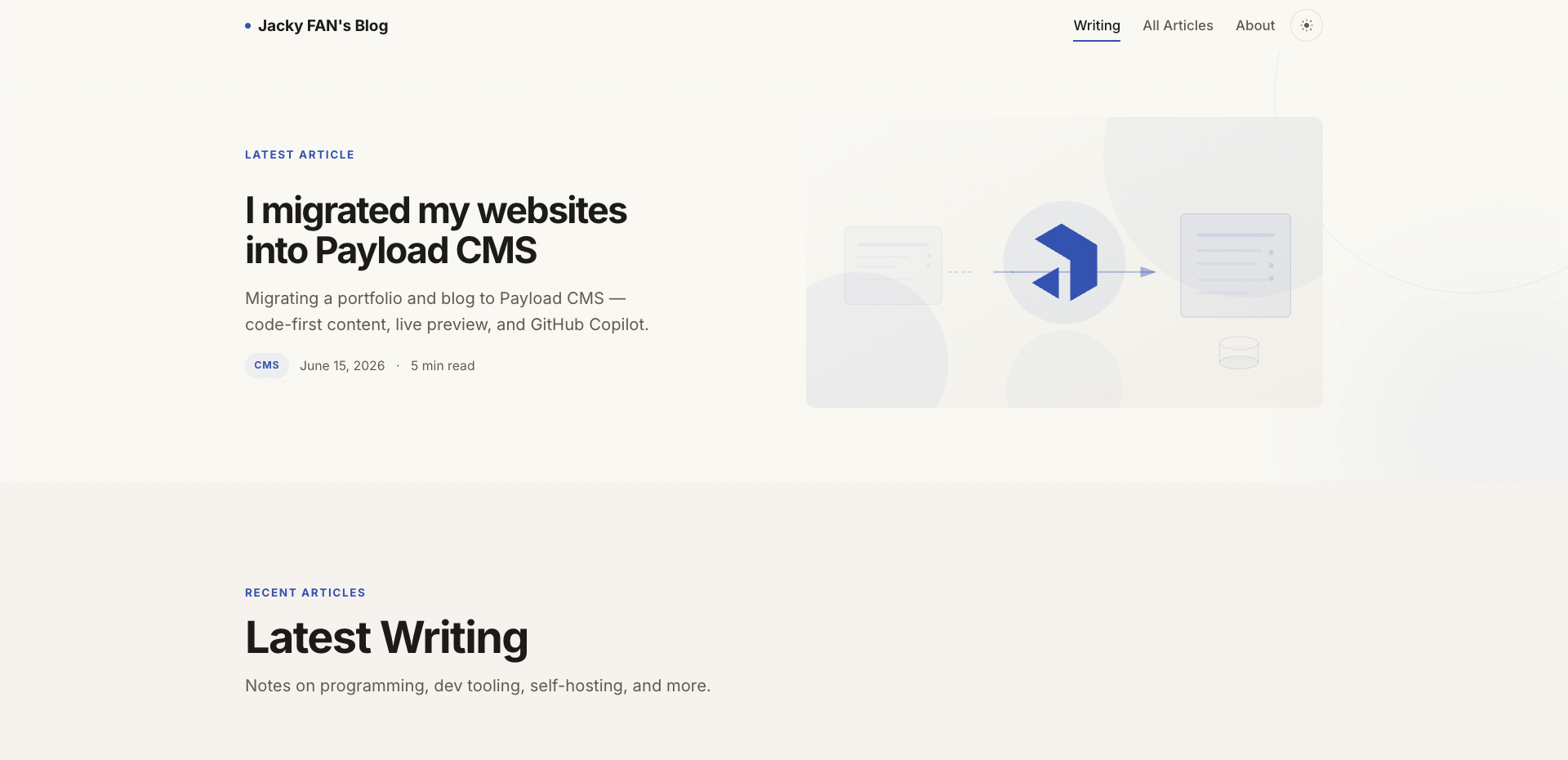
The MUJI-inspired blog prototype — raw HTML/CSS, no framework I gave feedback like "more graphics," "larger text," "like pretty PowerPoint slides" — and it iterated.
Then the portfolio
Once the blog felt right, I gave rpi5-1's agent a harder brief:
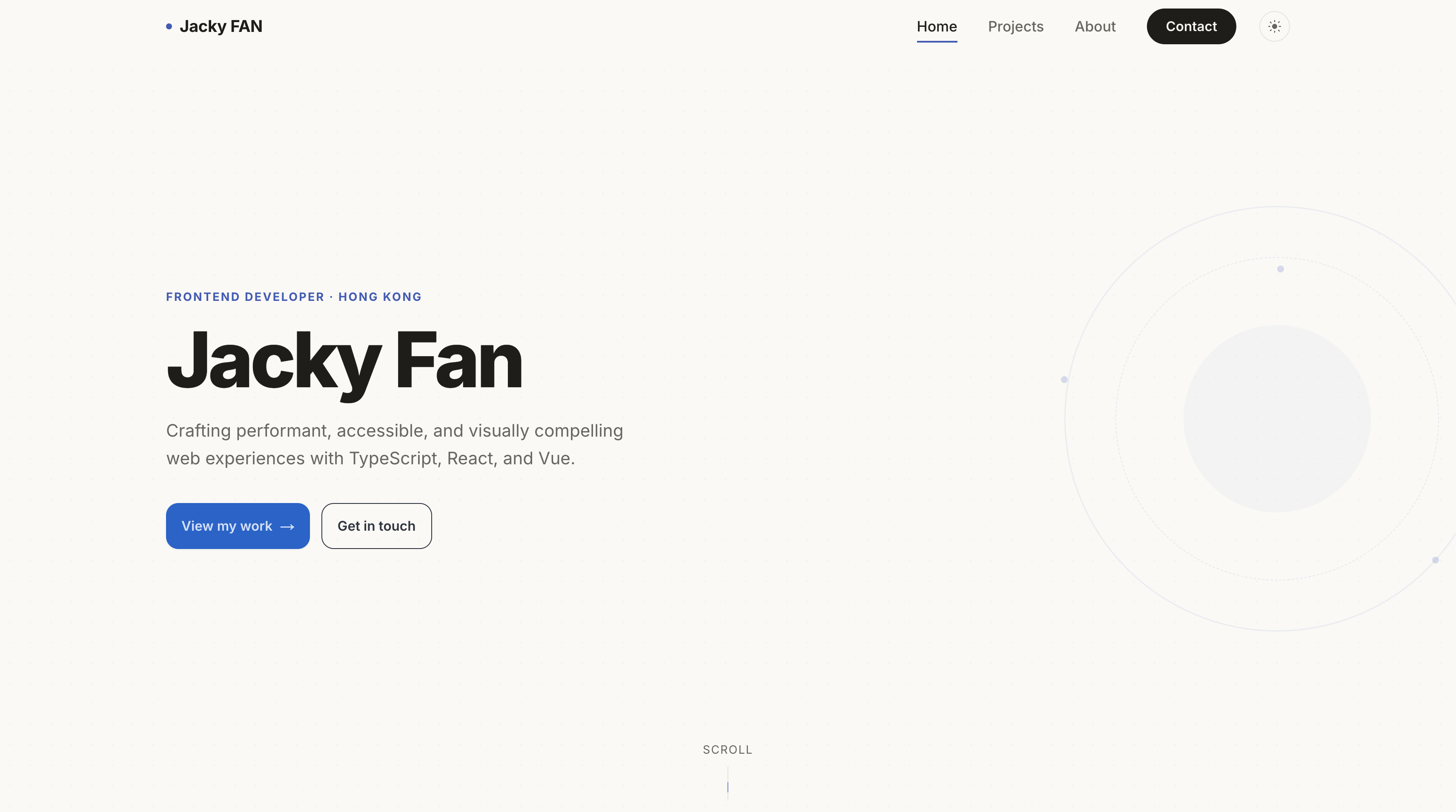
"Redesign jacky.fan for a modern, eye-catching website, while keeping similar style to my blog.
It studied the blog prototype's design DNA, researched modern portfolio designs, and designed the full site — hero, about, projects, contact — all in raw HTML/CSS under ~/Project/jackyfan-prototype/. Again, Docker-served, browser-reviewed, iterated.
Why this worked
- No production code, no CMS, no SCSS architecture — just pure visual design
- I could say "good job" or "try again" without worrying about breaking anything
The whole design phase took about 3 to 4 days of casual back-and-forth. What surprised me most: the agent asked thoughtful design questions on its own, and it could study reference websites I pointed it to — pulling visual ideas from them into the prototype.
Phase 2: Production Build (the "Developer")
With approved prototypes as the target, I switched to a different Hermes Agent session on my local machine. This agent's job: turn the prototype's visuals into real, production-grade code.
The agent did the heavy lifting
I described what needed to happen and the agent executed:
- Split 2,528-line
globals.scssinto 22 modular SCSS partials — tokens, layout, typography, buttons, animations, every page section. All at once, zero breakage - Built CMS-driven project pages with rich content blocks (overview, feature grid, tech stack, screenshots, CTAs)
- Populated 6 projects into Payload CMS via scripts that logged in, patched collections, and revalidated caches
- Added dark mode, Framer Motion animations, View Transition API page transitions, contact form with reCAPTCHA
For blog.jacky.fan (Nuxt 3):
- Applied 13 SCSS partials mirroring the portfolio design system
- Built code highlighting with copy button, image lightbox, RSS feed, full-screen mobile menu
- Generated 8 article thumbnails — warm SVG designs with brand-specific decorative motifs
For both:
- The agent SSH'd into rpi5-1 to run Docker commands, migrated content between servers, and made REST API calls to Payload CMS
- For visual verification, it used a background browser — navigating to pages, taking screenshots, comparing localhost vs production pixel by pixel
Communication was everything
The interaction was surprisingly natural. I'd say things like:
"The button on production isn't black and rounded like localhost. Please check all buttons and fix."
"Remove the Utterances part. Replace the Smooth Animations section with something else."
"The 404 page content is invisible because of the reveal animation. Fix it."
Each time, the agent investigated, found root causes, fixed them, and showed me the result. No explaining file locations, no writing code — just describing what I wanted.
Phase 3: Polish (the Unglamorous 80%)
Once the big pieces were in place, we entered the polish phase. This is where most projects stall because the work is tedious — but the agent handled it.
Most issues were caught and fixed in small iterations, so nothing particularly memorable beyond the table above. The agent just kept fixing things as I pointed them out.
- daisyUI button overrides: Production looked different from localhost; the agent compared both visually and fixed cascade issues.
- Responsive breakpoints: Tablet layout broke (grids collapsed at 1024px); moved breakpoint to 768px.
- 404 page invisible: IntersectionObserver reveal effect hid the content; fixed it, it regressed, then fixed again.
- Nuxt 3 caching: useFetch returned stale data on SPA navigation; root-caused and fixed.
- Payload CMS login: serverURL, cookiePrefix, and CSRF issues blocked admin login from non-localhost; fixed all three.
- Content migration: Bulk-migrated all articles and projects from localhost CMS to rpi5-1 production.
Most issues were caught and fixed in small iterations, so nothing particularly memorable beyond the table above. The agent just kept fixing things as I pointed them out.
What I Learned
The good
- The agent understood context. It remembered the design tokens, SCSS structure, and CMS quirks across sessions. I never had to repeat myself
- It debugged autonomously. When things broke, it investigated without asking "what should I do?" — it read logs, traced errors, tested fixes
- It did the boring work. Splitting 2,500 lines of CSS, writing CMS migration scripts, comparing pixels between sites — hours of human work, done in minutes
- Natural language was enough. I didn't write a single line of code for this revamp. I described outcomes, not implementations
The not-so-good
- First-time setup was manual. Environment variables, SSH keys, Docker access — I had to set these up myself before the agent could work
- Visual taste needed steering. Early designs were technically correct but lacked personality. I had to say "warmer," "more editorial," "less corporate"
- It could over-engineer. Sometimes proposed complex solutions when a simple CSS fix sufficed. Iteration was necessary
- API costs add up. OpenRouter was convenient but more expensive. I later switched to DeepSeek's direct API to reduce costs — worth considering if you plan to use an agent heavily.
The Result
Both sites now share a cohesive design: warm off-white (#faf9f5), blue accent (#3b5cb8), Inter font, geometric decorations, responsive layouts, dark mode. They feel like they belong to the same person.
jacky.fan (Next.js 16 + Cloudflare Pages) — portfolio with CMS-driven projects, animations, 3D elements, contact form.
blog.jacky.fan (Nuxt 3 + Docker on rpi5-1) — editorial blog with Payload CMS, code highlighting, image lightbox, RSS.
All designed and built by an AI agent. I just told it what I wanted and steered when needed.
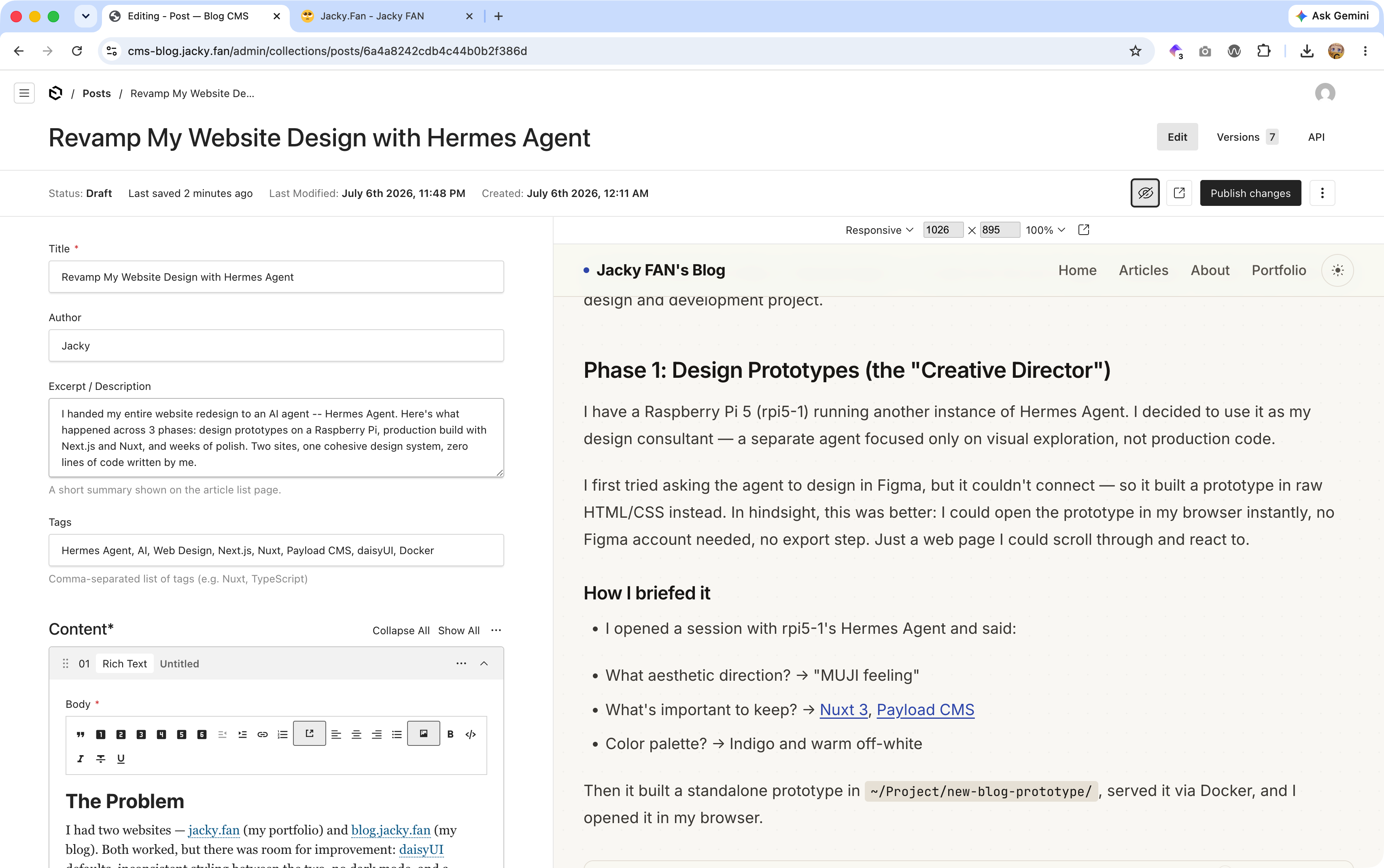
Payload CMS admin on rpi5-1 — self-hosted, Docker Compose, accessible from anywhere on the network
Screenshots
Before: The Old Designs
Prototypes Built by rpi5-1 Agent
After: The Final Production Sites
Would I Do It Again?
Yes. The result is better than anything I could have built solo, and the process was faster than hiring a designer-developer team. The key insight: the AI is the executor, I'm the director. My job was taste, decisions, and feedback — the agent handled everything else.
For anyone considering this workflow: be specific in your feedback. "Warmer," "more editorial," "match the other site" — these short, directional cues work better than long specifications.
I'd definitely recommend this approach. The AI-agent workflow offloaded most of the boring work and opened up opportunities in areas outside my own expertise — like design, which I had always struggled with. You don't need to be a designer to end up with a well-designed site. You just need to know what you like and be able to describe it.